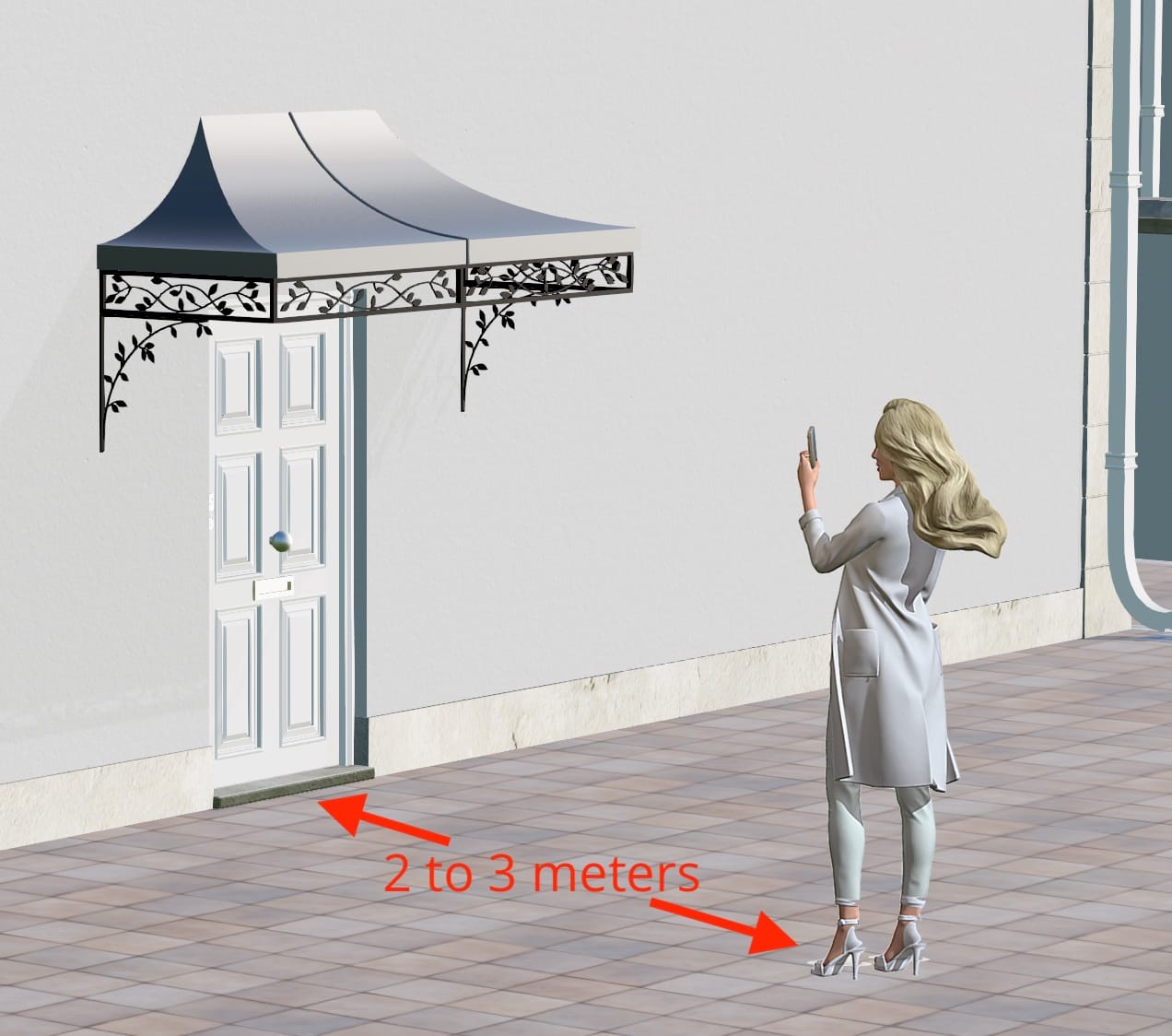
How to use AR on your mobile or tablet
AR is only available on Mobile or Tablet
Please scan the QR code via your mobile or tablet to view the Nouveau Canopy in AR

This page redirects to Nouveau Canopy AR after 15 seconds. Click Here to redirect without waiting.
Please scan the QR code via your mobile or tablet to view the Quatrefoil Canopy in AR

This page redirects to Quatrefoil Canopy AR after 15 seconds. Click Here to redirect without waiting.
Please scan the QR code via your mobile or tablet to view the Regency Light Canopy in AR

This page redirects to Regency Light Canopy AR after 15 seconds. Click Here to redirect without waiting.
Please scan the QR code via your mobile or tablet to view the Wave Scroll Canopy in AR

This page redirects to Wave Scroll Canopy AR after 15 seconds. Click Here to redirect without waiting.
Please scan the QR code via your mobile or tablet to view the Wentworth Canopy in AR

This page redirects to Wentworth Canopy AR after 15 seconds. Click Here to redirect without waiting.
Please scan the QR code via your mobile or tablet to view the Henley Canopy in AR

This page redirects to Henley Canopy AR after 15 seconds. Click Here to redirect without waiting.
Please scan the QR code via your mobile or tablet to view the Ring Canopy in AR

This page redirects to Ring Canopy AR after 15 seconds. Click Here to redirect without waiting.
Please scan the QR code via your mobile or tablet to view the Deco Canopy in AR

This page redirects to Deco Canopy AR after 15 seconds. Click Here to redirect without waiting.
Please scan the QR code via your mobile or tablet to view the Highbury Canopy in AR

This page redirects to Highbury Canopy AR after 15 seconds. Click Here to redirect without waiting.
Please scan the QR code via your mobile or tablet to view the Georgian Canopy in AR

This page redirects to Georgian Canopy AR after 15 seconds. Click Here to redirect without waiting.
Please scan the QR code via your mobile or tablet to view the Treillage Canopy in AR

This page redirects to Treillage Canopy AR after 15 seconds. Click Here to redirect without waiting.
Please scan the QR code via your mobile or tablet to view the Cambridge Canopy in AR

This page redirects to Cambridge Canopy AR after 15 seconds. Click Here to redirect without waiting.
Please scan the QR code via your mobile or tablet to view the Rose Leaf Canopy in AR

This page redirects to Rose Leaf Canopy AR after 15 seconds. Click Here to redirect without waiting.
How to use [AR]
[DRAFT] AR needs a strong internet connection, if you don't have a strong connection where you plan to place the AR object, please first download the object and then move to the area you plan to place it.
1. Download the object where you have a good connection
2. Stay two meters from entrance
3. Place the object above your door
4. You can move the object using two fingers